
A helpful answer can explain how to contact support. A configured action can send the support request. An answer can describe how appointments work. A connected booking workflow can help the customer choose a time and complete the reservation.
That difference is the practical value of AI Actions: connecting conversation to an observable next step. The action still needs the right configuration, the required information and a result that confirms what actually happened.
This guide explains how to choose an initial action in AIChatVault, connect it to your support process and verify the outcome.
What is an AI action?
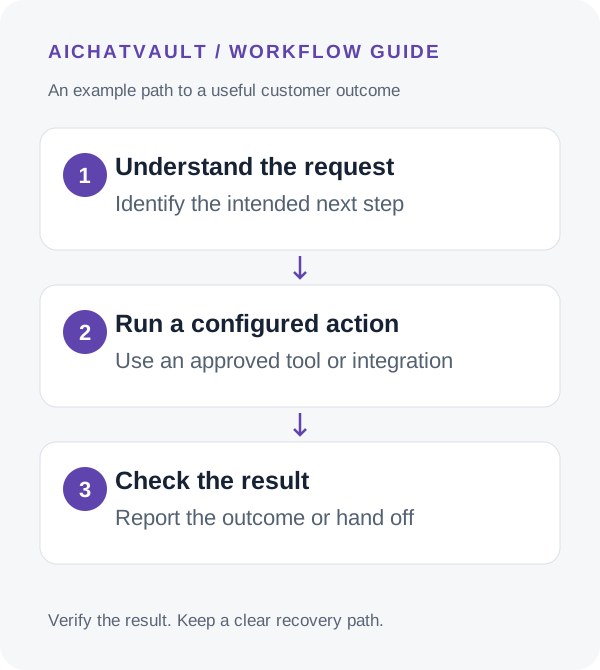
An AI action is a configured operation an agent can invoke in response to a conversation. It might send an email, call an endpoint, offer a scheduling link or transition the conversation to a person.
Connected integrations can provide additional capabilities, such as creating a CRM record or working with a booking service. These capabilities depend on the integration and its settings. The agent does not gain permission to perform every task in a connected application.
The useful question: What should exist or change after this action succeeds, and where can our team verify it?
Choose the right path for the task
- Email action: send a configured message to the intended recipient, such as an internal support alert.
- API or webhook action: make a configured request to a service you control or integrate with.
- Calendar link: share a configured scheduling page so the customer can self-book.
- Human handoff: stop AI replies and move the conversation into your team’s handoff flow.
- Connected integration: use the specific CRM, help-desk or booking behavior you have enabled.
For example, Freshdesk can be the destination for an unresolved support request, Zoho CRM for a captured enquiry, and Zoho Bookings for a scheduling workflow.
These are separate paths to configure and test. Connecting all three does not automatically create a complete customer journey with the correct triggers and field mappings.
Start with one bounded outcome
Choose a frequent task with an easy-to-recognize result. “Send the support team this enquiry” is a more manageable first action than “handle every account problem.” Define the recipient, the details to include and what the customer should be told.
For a ticket workflow, define the trigger and destination queue. For a lead workflow, define the module, fields and owner. For a booking workflow, define the service, resource and fallback path.
Keep the first launch small enough that your team can review every result. Expand when the action consistently produces usable records and customers understand what happens next.
Write an action description that states its purpose
AIChatVault’s action setup includes trigger keywords and a “When to use” description. Describe the intended situation in concrete language: “Use when a customer asks for a support specialist to review an unresolved issue.”
Test positive and negative cases. “I want to book a demo” and “I do not want to book a demo” contain similar words but express different intentions. Keyword matching is a trigger mechanism, not proof of customer authorization.
For operations with side effects, validate required inputs and permissions in the receiving system. Use a customer confirmation step where appropriate for the action’s impact. Do not rely on the action description alone as an enforcement mechanism.
Collect the minimum information needed
An action should not guess a recipient, account, date or record identifier. Ask for missing information or route the request to someone who can verify it.
For an internal alert, a concise issue summary and a follow-up contact may be enough. For an account-specific change, the receiving service needs appropriate verification and authorization. Avoid sending passwords, payment-card details or unrelated conversation data.
Keep credentials in the integration or server configuration. They do not belong in the agent’s public knowledge or a customer-visible example.
Distinguish execution from business completion
Review the action’s execution status, payload, response and any error. AIChatVault records execution activity so your team can inspect what was attempted.
Then verify the destination. An accepted webhook may enqueue work that completes later. A sent email does not prove it was read. A created support ticket does not mean the issue is resolved. A booking link does not prove an appointment exists.
Example: a customer asks for help with a recurring export error. The configured ticket flow collects the relevant details and receives a Freshdesk ticket identifier. The appropriate message confirms that the support request was created and explains the next step; it does not claim the export problem has been fixed.
If the provider fails, explain that the action could not be completed and give a recovery path. Before retrying a record-creating request, check whether it already succeeded in the destination so a timeout does not become a duplicate record.
Use handoff as an intentional outcome
A human handoff is a valid action when the request requires judgment, approval or information the agent cannot verify. Configure the destination and follow-up process, and test that the team receives enough context.
Read the human handoff guide and define who monitors the queue. The customer experience depends on the person completing the handoff as well as the agent initiating it.
Know when an event-based workflow is a better fit
Conversation-time actions and event-based automations serve different needs. AIChatVault’s AI Actions are scoped to an agent and respond to conversation triggers. The Zapier integration works with organisation events such as captured leads and conversation activity.
If the task is “run when a lead is captured,” inspect the Zapier workflow. If the task is “respond to this customer’s request during the conversation,” inspect the action or connected integration. Avoid configuring both to create the same record unintentionally.
Validate before expanding
- Test a valid request and confirm the destination result.
- Test missing information and an unrelated request.
- Test a declined or negated request to detect overly broad triggers.
- Test a provider error and the customer-facing recovery message.
- Repeat a request and inspect duplicate behavior.
- Test human handoff and the team’s follow-through.
Measure confirmed outcomes, failure reasons, duplicate work and human corrections. These are more useful indicators of action quality than the number of times a trigger fired.
Common questions
Is an AI action the same as an integration?
No. An integration connects a service and may expose several capabilities. An action is a particular operation or workflow invoked in context.
Can a webhook connect a custom system?
Yes, when you configure the endpoint and request appropriately. Your receiving service must validate the request, enforce permissions and return a meaningful result. See the webhook action guide.
Which action should we launch first?
Choose a frequent, bounded task your team can verify, such as a support alert or a clearly triggered ticket. Add more operations after reviewing the results.
Read the AI Actions setup guide and map one customer request to one verifiable outcome.
Related reading: The difference between chatbots and ai agents.